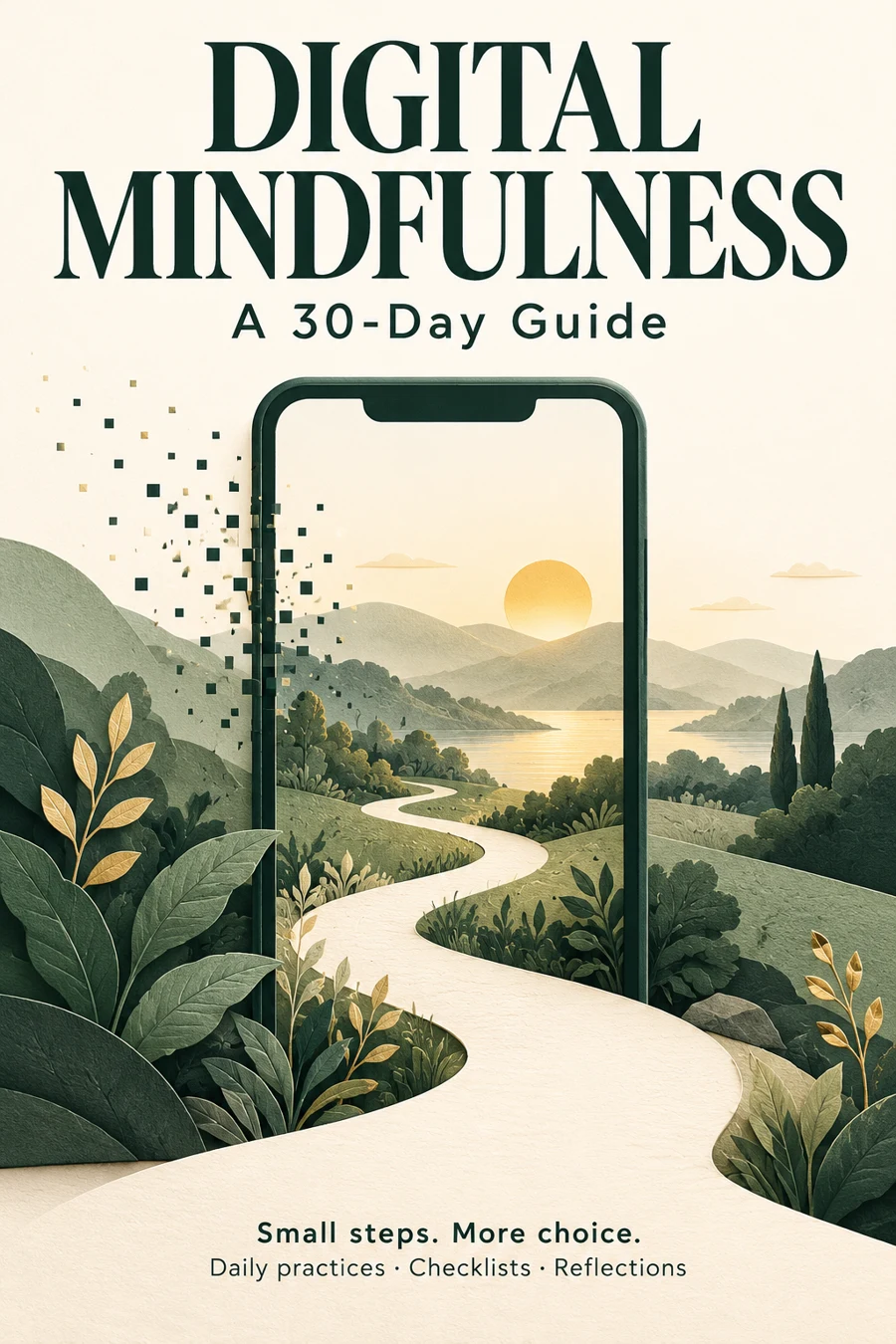
Short answer: If you’re wondering what to do instead of scrolling after work, pick your evening activity before you pick up your phone, and pick it based on how much energy you actually have left, not how much you wish you had. Put the phone somewhere fixed for the first ten minutes after you get home, choose one thing from the menu below, and make that thing easier to start than opening a feed.
You know the scene. It’s 7pm, you drop onto the couch, and you tell yourself “just five minutes.” You look up and it’s 9:40. You didn’t really enjoy it, and you didn’t really rest. You just lost the evening.
This isn’t another list of 120 hobby ideas. You don’t need more ideas at 7pm; you need fewer decisions. Recovery also needs time when you’re neither doing work nor thinking about it, as the American Psychological Association explains in its guide to coping with stress at work. So here’s a small system for what to do instead of scrolling after work: a 10-minute arrival ritual, a menu sorted by energy level, and a few tweaks that make the feed slightly less convenient.
Why “just do something else” doesn’t work at 7pm
It’s tempting to think the problem is willpower or a lack of ideas. After a full workday, the problem is often simpler: the feed asks nothing of you, and everything else does.
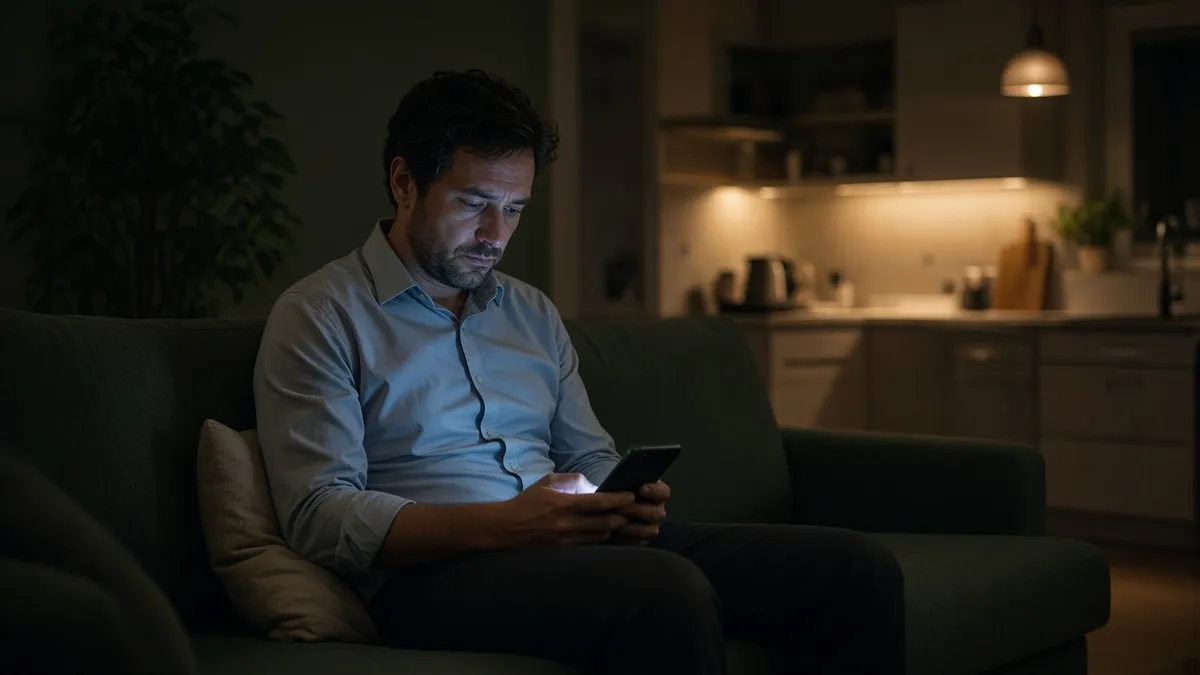
- Every other option needs a decision. Reading means choosing a book. Cooking means choosing a recipe. A walk means finding shoes and a route. Scrolling means moving your thumb.
- The feed has no end. A TV episode finishes. A chapter finishes. A feed is built so there’s always one more thing, which means you have to supply the stopping point yourself, at the moment you have the least energy to do it.
- The phone is already in your hand. It came home with you, it’s in your pocket on the couch, and it’s the first object you touch when you sit down.
None of this means something is wrong with you. It means the default is set up in favor of the feed. The rest of this article is about changing the default.
A useful first step comes from Day 3 of our guide, “The moments that pull you in.” For one day, every time you unlock your phone without a clear plan, jot down the time, place, how you felt, and what you hoped to get: “relief, stimulation, connection, information, or a break.” Then note whether the check actually delivered it. As the guide puts it: “If boredom is the cue, a two-minute stretch or a saved article may be a better match than opening a social feed.” Once you know what you’re really reaching for after work, choosing a replacement gets much easier.
First, a 10-minute arrival ritual
For many people, the evening tips in the first few minutes after walking in. If the first thing you do is sit down with your phone, it’s easy for the rest of the evening to follow. So put a small, repeatable ritual between “work” and “couch.”
The Arrival Ritual (about 10 minutes)
- Park the phone. Pick one fixed spot that is not within reach of the couch: a shelf by the door, a basket, the kitchen counter. A charging stand, basket or shelf just outside the room works well, for a realistic window like the first 15 minutes after getting home (Day 4 of the guide).
- Change something physical. Swap work clothes for home clothes, or at least wash your hands and face. It’s a clear signal that the workday is over.
- Get a drink. Water, tea, whatever you like. It gives your hands something to do in the minutes when they’d normally reach for the phone.
- Choose from the menu below, then start it. Decide what you’re doing before you pick the phone back up. If you then want to scroll, do it on purpose (more on that later).
Working from home? Your “arrival” is the moment you stop working. Close the laptop fully, leave the room you work in if you can, and do the same four steps. A short walk around the block can stand in for the commute you don’t have.
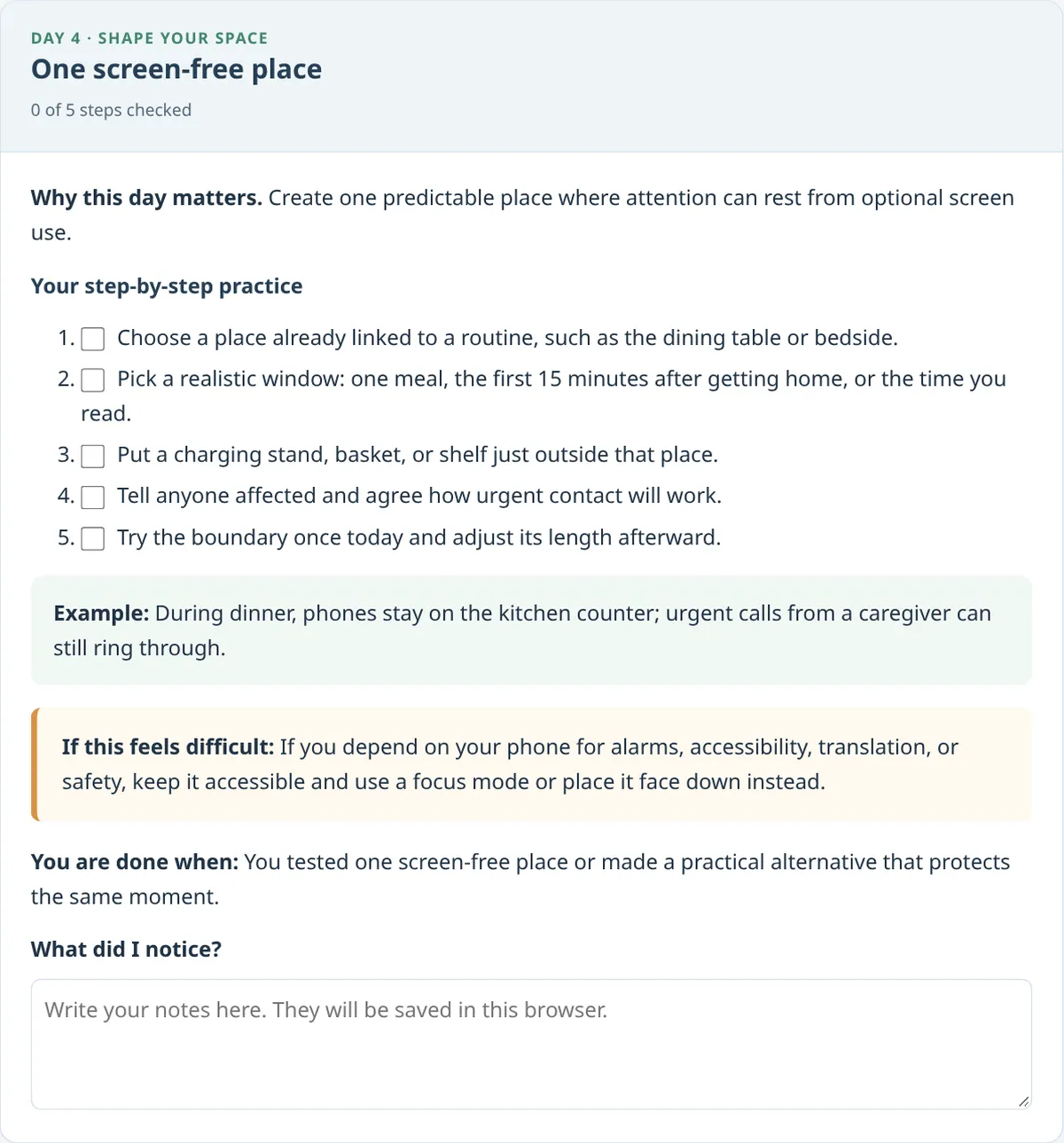
If you rely on your phone for safety, caregiving, accessibility or on-call work, keep it reachable. Use a focus mode or place it face down instead. The point is a deliberate start to the evening, not being unreachable.
What to do instead of scrolling after work: the energy menu
The best answer to what to do instead of scrolling after work depends on one thing: your energy. Be honest about it. A plan that needs more energy than you have will lose to the feed every time. Every item below also has a natural end, like a song finishing or a pot getting clean. That built-in stopping point is exactly what a feed doesn’t give you.
Running on empty (2–15 minutes)
- Stand at the window or step outside for five minutes and just watch what’s going on. It ends when you get cold or bored.
- Play one song you love while lying on the floor or the couch. It ends when the song does.
- Take a warm shower. It ends when you turn off the water.
- Make a simple snack and eat it at the table, not in front of a screen.
- Do nothing on purpose. Lie down for ten minutes with no input at all. Rest counts as an activity. You’re allowed to be tired without “using” the time.
- A two-minute stretch, especially if boredom is what pulls you to the phone.
Some energy left (15–45 minutes)
- A 15-minute walk on a familiar route. Leave your walking shoes by the door so starting takes seconds.
- Cook something with a few steps, ideally something you can eat tomorrow too.
- Call one person. Not a group chat, one voice. It ends when the call does.
- Work on a puzzle (jigsaw, crossword, sudoku on paper) for one set block of time.
- Read ten pages. Or give yourself 20 minutes with one bounded source: a library book, a printed recipe or one bookmarked article, something that ends.
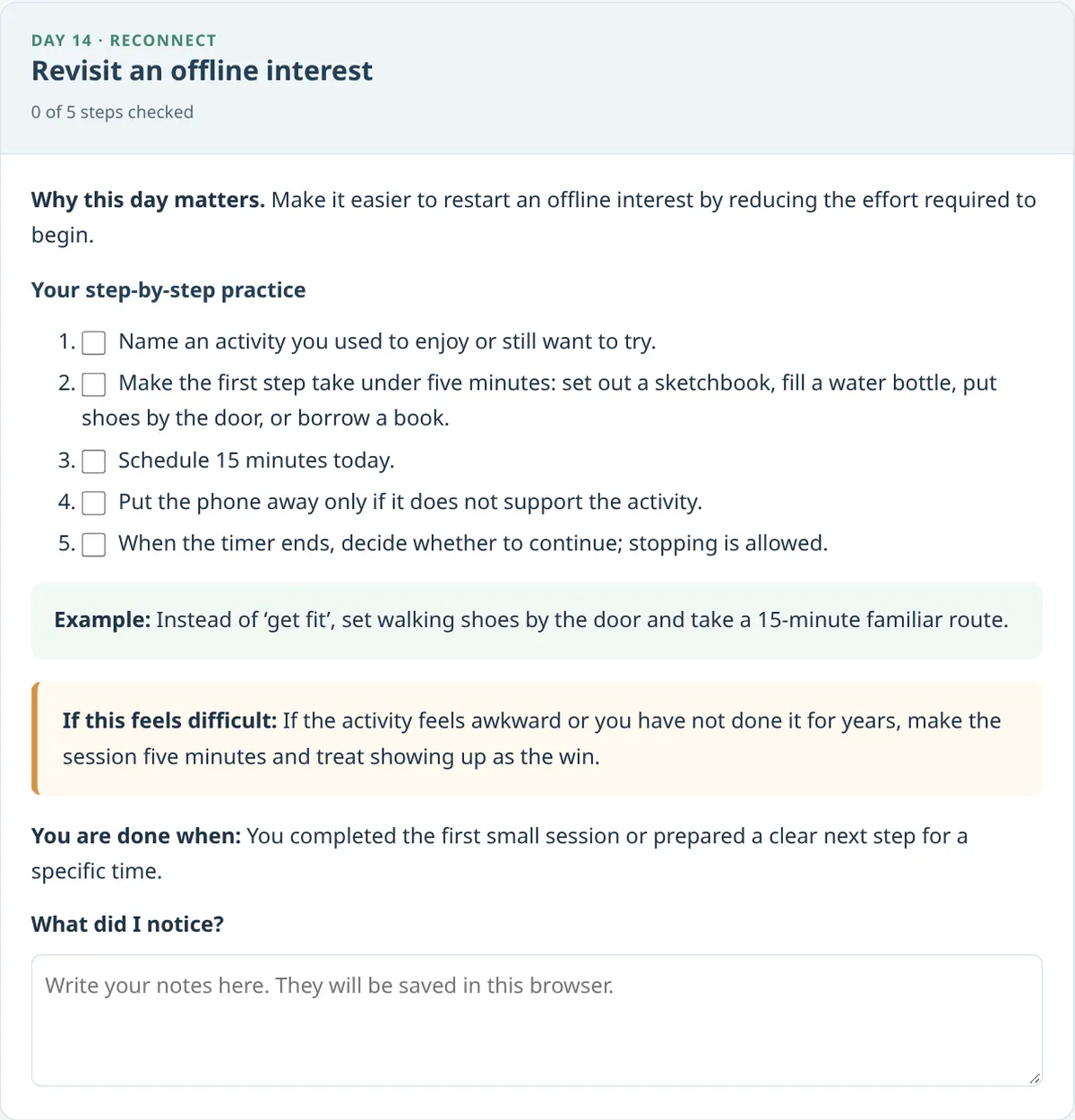
- Restart an old interest for 15 minutes. Day 14 says to make the first step “take under five minutes: set out a sketchbook, fill a water bottle, put shoes by the door, or borrow a book.” And when the timer ends, “stopping is allowed.”
- Make before you browse. Day 27 asks you to “spend 15 minutes creating before browsing”: “write three sentences, edit one photo, make a playlist, sketch, plan a meal, or send a thoughtful note.” Then “stop when the time ends and save the draft.”
Actually OK (45+ minutes)
- A proper offline hobby session: an instrument, a project, a class, the gym, a garden. Anything you used to enjoy or still want to try.
- An evening with someone, with attention. A walk, a meal or a game, with both phones put somewhere comfortable and any exceptions agreed in advance.
- Plan something you’ll look forward to: a weekend trip, a recipe for Saturday, a project list. Use paper or one notes app, not twelve tabs.
Tip: write your personal top three for each level on a sticky note and put it where the phone parks. At 7pm you won’t have to think, just read.
A 3-question check: what drains you, what restores you
The menu is a starting point. Your own list will work better. Answer these three questions after any evening, in thirty seconds:
- What did I do in the first 30 minutes after work? (The start usually predicts the rest.)
- Afterwards, did I feel more like myself, or more scattered? No scores, just one word.
- Did it end on its own, or did I have to force it to stop?
Things that leave you “more like myself” and end on their own belong at the top of your menu. Things you had to force to stop are worth limiting, not necessarily cutting. After a week you’ll have your own short answer to what to do instead of scrolling after work, and it will beat any generic list, including this one.
Make the alternative easier than the feed
You don’t have to beat the phone with discipline. By evening you’re tired, so don’t rely on discipline. Instead, make the other option one step closer and the feed one step further away.
- Set up the activity where you usually scroll. The book goes on the couch cushion. The sketchbook sits open on the table. The walking shoes wait by the door. The guitar lives on a stand, not in its case.
- Move the feed off your first screen. Day 10, “Redesign your home screen”: “Move one high-distraction app into a folder or off the first page,” and put useful tools where they’re easy to reach. Its example: “Put maps, calendar, and camera on the first page; put video apps in a folder on the second page.”
- Quiet the alerts that pull you back in. Ask of each notification: “Would a delay of an hour cause a real problem?” Then “turn off badges, sounds, or lock-screen previews for three low-priority apps.” Keep the people and work alerts you actually need.
- Charge the phone away from the couch. If the charger lives in the kitchen, the phone does too.
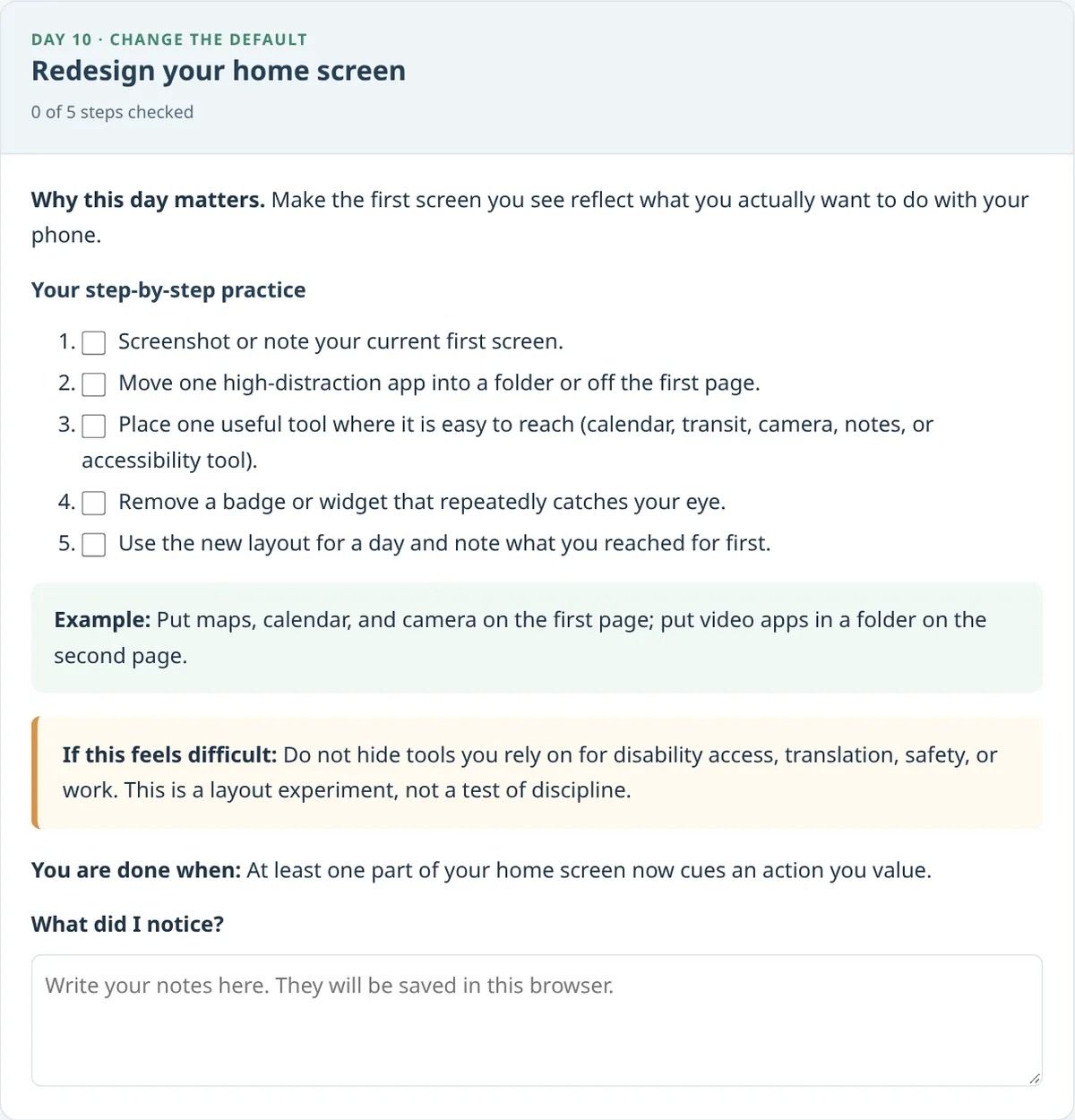
Each change is small. Together, they mean that at 7pm the easiest thing in the room is no longer the feed.
If you still want to scroll, scroll on purpose
This isn’t about banning your phone. Scrolling can be fun, social and useful. The difference is whether you chose it or it chose you.
- Give it a slot and a timer. “8:30 to 8:50, then I stop” is a choice. “Just five minutes” with no timer is a wish.
- Name your purpose first. Day 6 of the guide, “A mindful moment before opening”: “Before opening it, name your purpose in one sentence.” Its example: “I’m opening Instagram to answer Maya, then I’m closing it.”
- Pick the stopping point in advance: “one reply, one search, ten minutes, or one saved video.” When you hit it, “pause and decide whether to continue.” Continuing is allowed; it just becomes a decision.
- If even that feels like too much, shorten it to one breath, or simply say the app name and purpose. The aim is awareness, not perfect control.
Want a plan for the week?
The menu tells you what to do. If you also want help with the moment the scroll starts, our 7-evening plan to stop scrolling after work takes one small step per night: find your trigger, give the phone a landing spot, add a pause, and protect one short window.
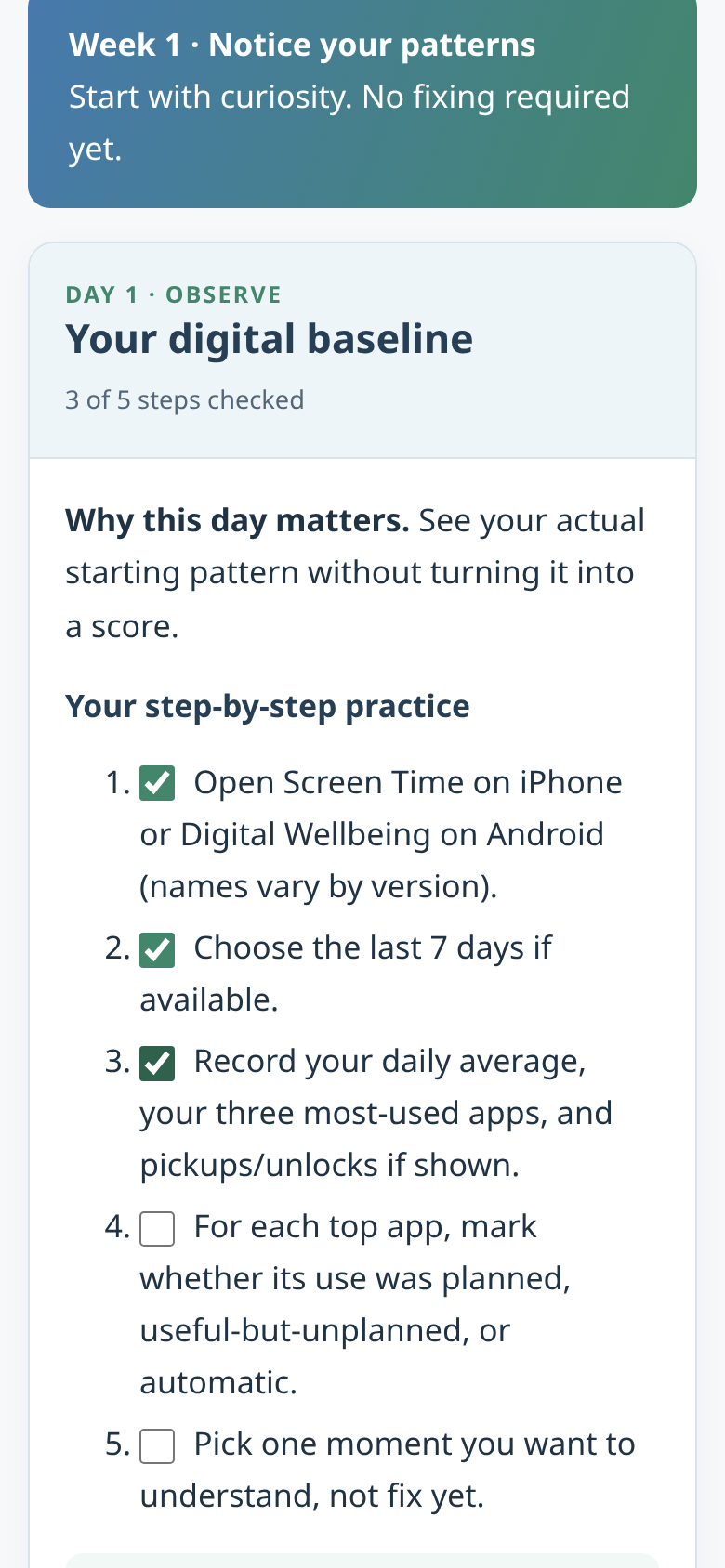
Here’s what a day looks like inside the guide on a phone, with the steps checked off and a space to write what you noticed:
Want a guided version?
Digital Mindfulness: A 30-Day Guide has a short step-by-step practice for each day, a reflection space, and a progress tracker saved in your browser. You can adapt any task to your work, caregiving and access needs.
FAQ: common objections
I live alone, and my phone is my company in the evening.
That’s a real need, and a good reason not to cut the phone out. Use it for the connection part on purpose: call or voice-message one person instead of watching strangers. On the “some energy” level, a call has a natural end that a feed doesn’t. A solo version works too: give your full attention to a pet, a book or your surroundings.
My job needs me to stay reachable after hours.
Then keep the work channel and quiet everything else. Keep urgent people, safety, calendar and the work alerts you need, and if you can’t turn alerts off, use a quieter delivery style or a short check-in window instead. Being reachable for work doesn’t mean being reachable for every app.
I’m too tired even for the “running on empty” list.
Then do only step 1 of the arrival ritual: park the phone for ten minutes and sit with your drink. That’s it. Tired evenings are when tiny defaults matter most, and doing nothing for ten minutes is a perfectly good choice.
Is scrolling actually that bad?
Not necessarily, and we won’t pretend otherwise. Research on cutting back is mixed, and results depend a lot on the person and the kind of use. The question this article cares about is simpler: is the way you spend your evenings the way you’d choose to spend them? If yes, great. If not, the menu is a low-pressure way to try something different and see what changes for you.
What if I fall back into scrolling after a few days?
Expect it. The guide’s line on this is worth keeping: “A missed day or unchanged metric does not erase learning. Keep what fits, revise what does not, and let go of the rest.” Start the next evening with the arrival ritual and carry on.
This article offers general habit ideas, not medical or psychological advice. If technology use is causing you serious distress or getting in the way of daily life, consider speaking with a qualified professional or someone you trust.
By the Digital Mindfulness team · Updated October 15, 2026
Ready for calmer evenings?
Digital Mindfulness — A 30-Day Guide gives you one small, practical step a day to stop scrolling on autopilot after work.