Short answer: If you want to know how to stop scrolling after work, stop fighting the habit in general and work on the one moment where your evening usually tips into the feed. Find that trigger, put a small pause and a stopping point in front of it, and decide in advance what happens instead. The 7-evening plan below walks you through it one small step per night, with no app bans and no willpower marathons.
The usual tips (put the phone in another room, take a walk, read a book) are fine, but they skip the part that matters: your scroll doesn’t start at a random time. It starts at a specific moment, in a specific place, for a specific reason. Maybe it’s the minute you sit down on the couch. Maybe it’s while dinner is in the oven. Maybe it’s the “quick check” of a work message that turns into an hour.
This article is about finding that moment and redesigning it. If you’re looking for ideas of what to do with the time you get back, that deserves its own article (coming soon). Here, the focus is how to stop scrolling after work by breaking the loop itself.
Why evening scrolling is so hard to stop
Before the steps, it helps to see why the habit is so sticky. There’s nothing broken about you. A few things line up against you after work:
- You’re tired of deciding. After a day of meetings, emails and small choices, the option that asks the least of you is easy to fall into. A feed asks nothing.
- The feed has no natural end. A show ends, a chapter ends, a call ends. A feed doesn’t, so you have to supply the stopping point yourself, exactly when you have the least energy to do it.
- Work never quite closed. One unread message keeps the phone “necessary,” and once it’s unlocked, everything else is one tap away.
- The cue repeats every day. Same couch, same time, same tired feeling. That repetition is what makes it feel automatic.
The American Psychological Association’s guide to coping with stress at work notes that recovering from work needs stretches of time when you are neither doing work nor thinking about it, and suggests turning off your phone and focusing on non-work activities for a while. You don’t need the research to recognize the pattern, though. You need to see your own version of it.
Step 1: Find your exact scroll trigger
Try this for one evening (it’s adapted from Day 3 of our guide, “The moments that pull you in”). Every time you unlock your phone without a clear plan, note four things afterward: the time, the place, how you felt, and what happened just before. Then note what you hoped to get from it: “relief, stimulation, connection, information, or a break.” Finally, record whether the check actually delivered it.
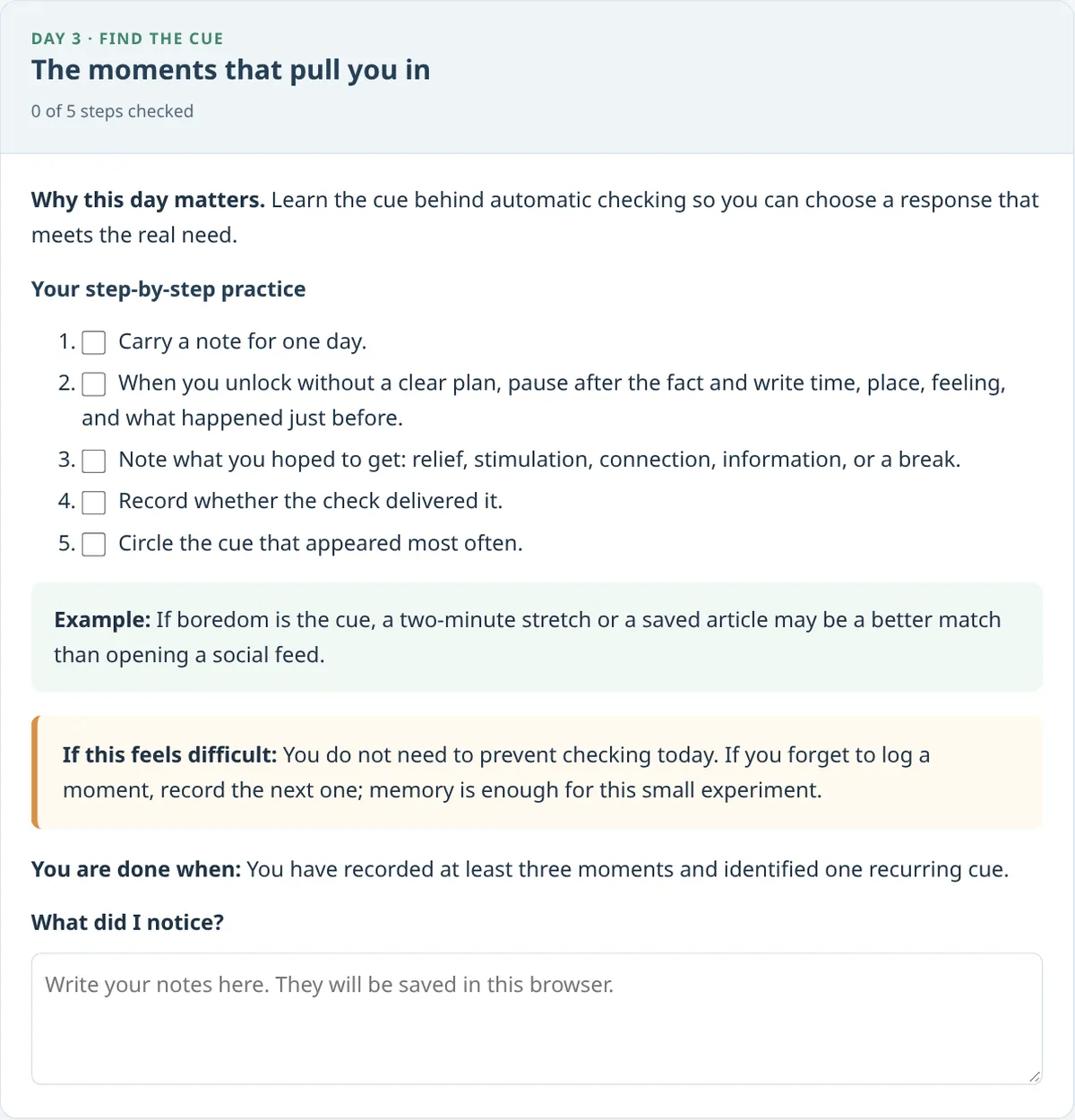
Don’t try to stop anything that evening. You’re just collecting data, and you don’t need to prevent a single check.
Five after-work triggers you might recognize (and what can help)
- The couch landing (you sit down and the phone comes out): change where the phone lands, not your willpower. See Step 2.
- The waiting gap (kettle, oven, laundry): give the gap a tiny alternative, like tidying one surface, stretching, or a saved article you chose earlier.
- The work check (one message turns into an hour): set a single check time and close the loop with a written next step.
- The “I deserve a break” moment: the need is real. Choose a break with an ending (one episode, one album, one call).
- The lonely evening: the need is connection. Message or call one real person instead of watching strangers.
You may find that one or two of these show up most evenings. Circle yours.
If you want a broader baseline first, open Screen Time on iPhone or Digital Wellbeing on Android, look at the last 7 days, and note your daily average, your three most-used apps and your pickups. On Android, Google explains how to find your Digital Wellbeing dashboard. Treat the numbers as clues, not a grade.
Step 2: Change the place before you change the habit
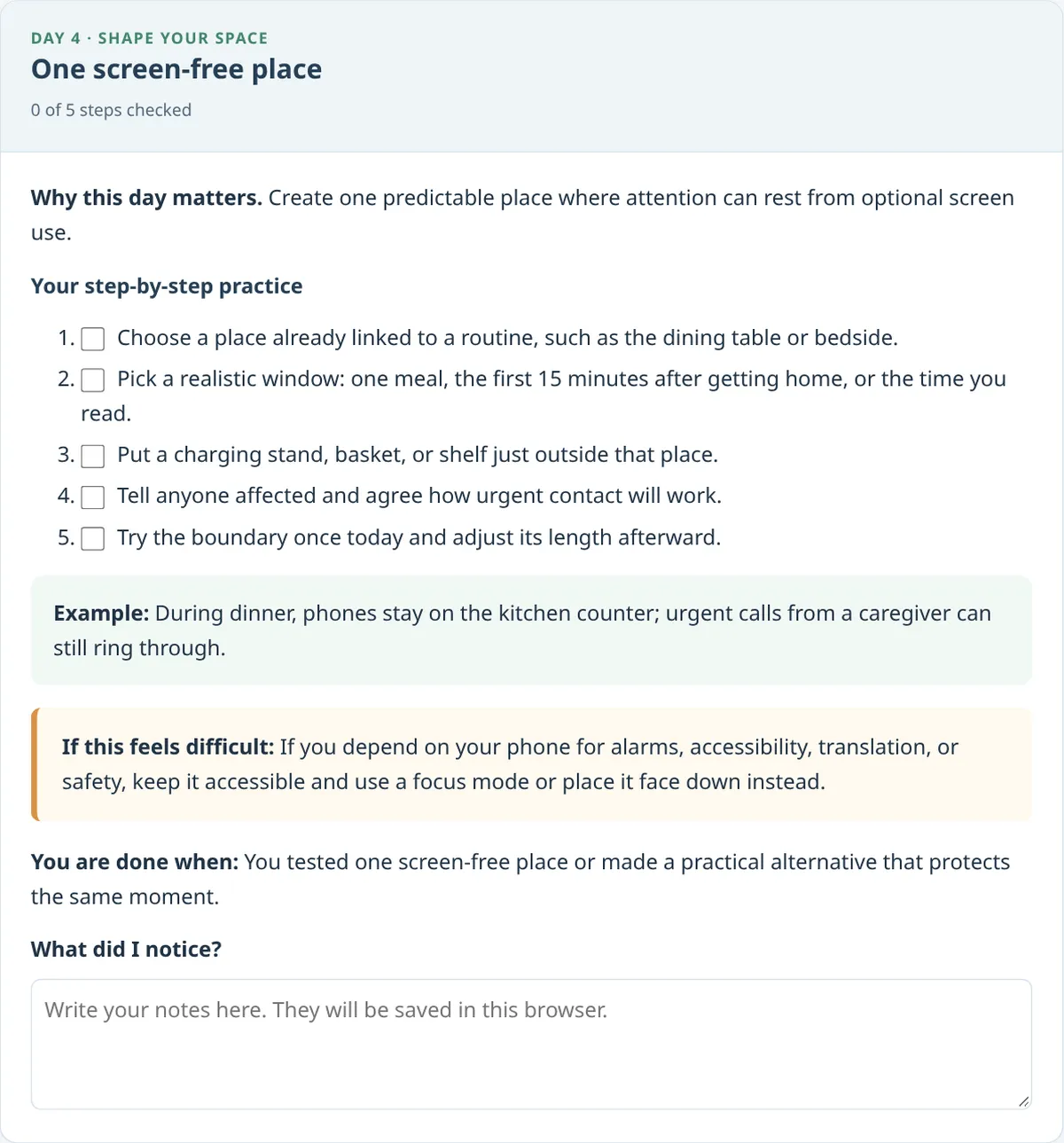
The cheapest fix is physical. Day 4, “One screen-free place,” suggests choosing one place already linked to a routine and putting “a charging stand, basket, or shelf just outside that place,” for a realistic window such as “the first 15 minutes after getting home.”
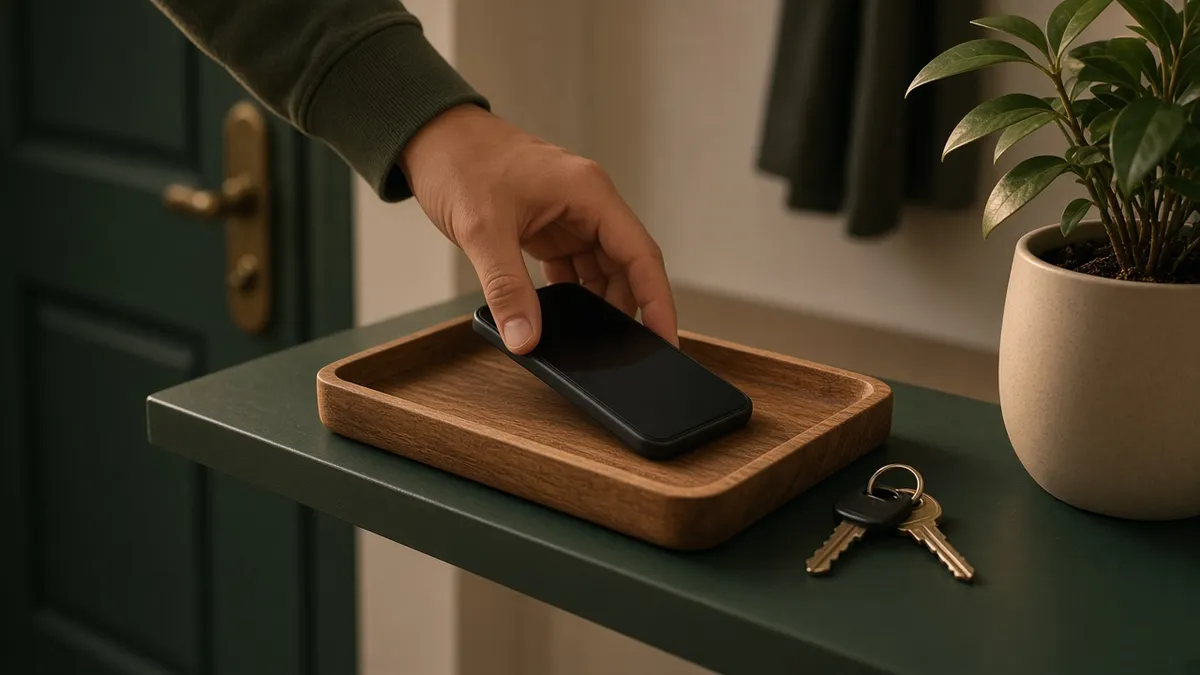
For evening scrolling, the couch is usually the place. So the phone lives on a shelf by the door or on the kitchen counter for the first stretch of the evening. You can still hear a call. You just can’t reach it from where you sit.
If people depend on reaching you, tell them, and agree on how urgent contact works. For example, the phone stays on the kitchen counter, but urgent calls from a caregiver can still ring through.
Step 3: Try a 3-second pause before you open the app
Some scrolling will happen, and that’s fine. The goal is to make it a choice instead of a reflex. Treat this as a small experiment, not a proven technique: try it for a few evenings and see whether it changes anything for you. Here’s the routine, adapted from Day 6 of the guide, “A mindful moment before opening”:
- Pick the one app you open most automatically in the evening.
- Move its icon somewhere less immediate, or add a reminder note: “What am I here for?”
- Before opening it, name your purpose in one sentence.
- Choose a stopping point before you begin: “one reply, one search, ten minutes, or one saved video.”
- When you reach that point, pause and decide whether to continue.
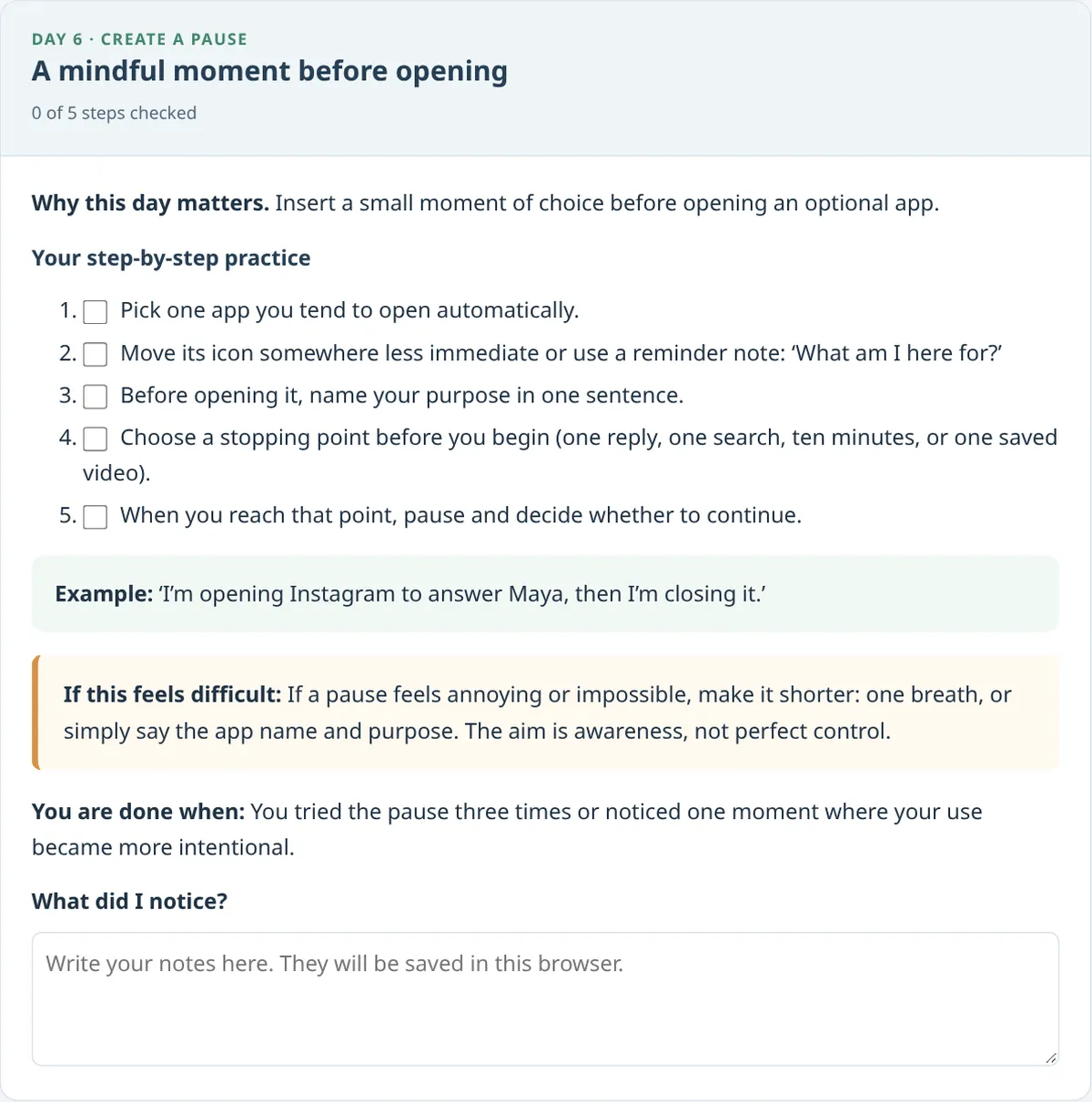
For example: “I’m opening Instagram to answer Maya, then I’m closing it.” If even that feels like too much, shorten it to one breath before you tap.
The stopping point matters most. A feed won’t give you an ending, so you bring your own. Pick it before you open the app, not while you’re in it.
Step 4: Close work so the phone stops feeling “necessary”
A lot of after-work scrolling starts with something that looks responsible: checking whether your manager replied. Two small changes help:
- Write tomorrow’s first task before you log off. Unfinished work gets a place to wait, so your brain isn’t pushing you to check it.
- Quiet everything that isn’t essential. For each alert, ask: “Would a delay of an hour cause a real problem?” Keep urgent people, safety, calendar and the work alerts you truly need. Turn off badges, sounds or lock-screen previews for three low-priority apps.
If your job means you have to stay reachable, use a quieter delivery style or set a short check-in window instead. Being reachable for work doesn’t mean being reachable for every app.
Step 5: Protect one small window, not the whole evening
“No phone after 6pm” sounds great and is hard to keep. Start much smaller: pick a window tied to something you already do, and start with 10–20 minutes. Decide which people can still reach you, and pick an alternative activity for that window.
If you work during the day, the first 15–20 minutes after getting home is a good window to try first, because that’s often where the evening tips into the feed. If you work shifts or care for someone, pick a window that moves with your schedule rather than a fixed clock time.
What to do when you catch yourself mid-scroll
Sometimes you’ll catch yourself 40 minutes in. Feeling guilty doesn’t help much. Here’s what to do in that moment instead:
The mid-scroll exit (under a minute)
- Notice without judging. “I’m scrolling.” That’s it.
- Name what you wanted. Relief, stimulation, connection, information or a break (the same five from Step 1).
- Set one last stopping point. “This video, then I put it down.”
- Move the phone. Stand up and put it back in its spot from Step 2.
- Do the smallest version of something else. Two minutes counts: fill a glass of water, step outside, put on one song.
One lost hour doesn’t ruin the evening. You can still decide how the next hour goes.
How to stop scrolling after work: a 7-evening plan
Here’s the whole method as one week, one small step per evening. Each step is adapted from the guide day listed on the right, so you can go deeper if a step works for you.
| Evening | What you do (10–15 min) | Guide day |
|---|---|---|
| 1 | Check your baseline: daily average, top 3 apps, pickups. Mark each top app as planned, useful-but-unplanned, or automatic. | Day 1 |
| 2 | Trigger log: every unplanned unlock, note time, place, feeling, and what you hoped to get. Circle the most common cue. | Day 3 |
| 3 | Give the phone a landing spot just outside the couch area for the first 15 minutes home. | Day 4 |
| 4 | Quiet three low-priority apps and write tomorrow’s first work task before logging off. | Day 2 (plus a shutdown note) |
| 5 | Add a short pause and a stopping point to your most automatic evening app. | Day 6 |
| 6 | Protect one 10–20 minute window and choose what you’ll do in it. | Day 11 |
| 7 | Review: what changed, what didn’t, and which one step you’ll keep next week. | Day 7 |
On evening 7, the guide’s Day 7 check-in asks you to re-read your notes, “underline patterns that repeat, not one unusual day,” and choose “the smallest change that could affect one pattern.” Keep that one change. Drop the rest without guilt.
If you remember one thing about how to stop scrolling after work, make it this: one trigger, one place, one pause, one window. A missed evening doesn’t reset anything. Just do that evening’s step the next day.
A 7-evening starter plan adapted from the guide
The plan above uses a handful of the practices in Digital Mindfulness: A 30-Day Guide. The full guide has one short practice a day for 30 days, with examples, “if this feels difficult” options, a reflection space and a progress tracker that opens on your phone. No app bans, no all-or-nothing rules: just a structured way to build more intentional evening habits.
Make the change stick after week one
- Redesign your first screen. Move one high-distraction app into a folder or off the first page and put something useful there instead (calendar, camera, notes, maps).
- Shape the last 30 minutes too. Test one change for three evenings, for example charging the phone away from the bed or switching from scrolling to audio.
- Have something ready to do. Stopping is easier when the alternative is already set up. Keep a short list of things to do after work, sorted by how tired you usually are.
FAQ
Do I have to delete social media to stop scrolling after work?
No. The approach here keeps the apps and changes when and how you open them: a landing spot for the phone, a short pause, and a stopping point. Later, you can make a calm “keep, change, pause, or remove” decision about one app, without rushing to delete accounts.
How long does it take to learn how to stop scrolling after work?
There is no fixed timeline, and we won’t invent one. Start with the 7-evening plan, keep the one step that made the biggest difference, and add another the following week. Progress usually looks like shorter, more deliberate sessions, not zero screen time.
What if my job requires me to check messages in the evening?
Keep the work channel and quiet everything else. Keep the alerts you truly need and, if you can’t turn alerts off, use a quieter delivery style or a short check-in window instead.
Is it okay to scroll sometimes after work?
Yes. The goal isn’t to ban scrolling. It’s to make it a choice: you know why you’re opening the app and when you’ll stop. If you scroll on purpose and enjoy it, that’s your evening working as intended.
I tried before and always fall back. What should I do differently?
Go smaller. Pick one trigger, not the whole evening, and one 10–20 minute window, not “no phone after 6pm.” As the guide says, “A missed day or unchanged metric does not erase learning. Keep what fits, revise what does not, and let go of the rest.”
This article offers general habit ideas, not medical or psychological advice. If technology use is causing you serious distress or getting in the way of daily life, consider speaking with a qualified professional or someone you trust.
By the Digital Mindfulness team · Updated October 15, 2026
Ready for calmer evenings?
Digital Mindfulness — A 30-Day Guide gives you one small, practical step a day to stop scrolling on autopilot after work.